
This tutorial guides you through navigating Perplexity and Outranker platforms to analyze podcast and domain data effectively.
Go to www.perplexity.ai
1. Introduction
"In this video, you’ll learn how to verify that AI Bot Tracking is working correctly inside Outranker.Ai. We’ll review the tracked domain, refresh the latest data, and confirm the key activity signals that show the setup is active."
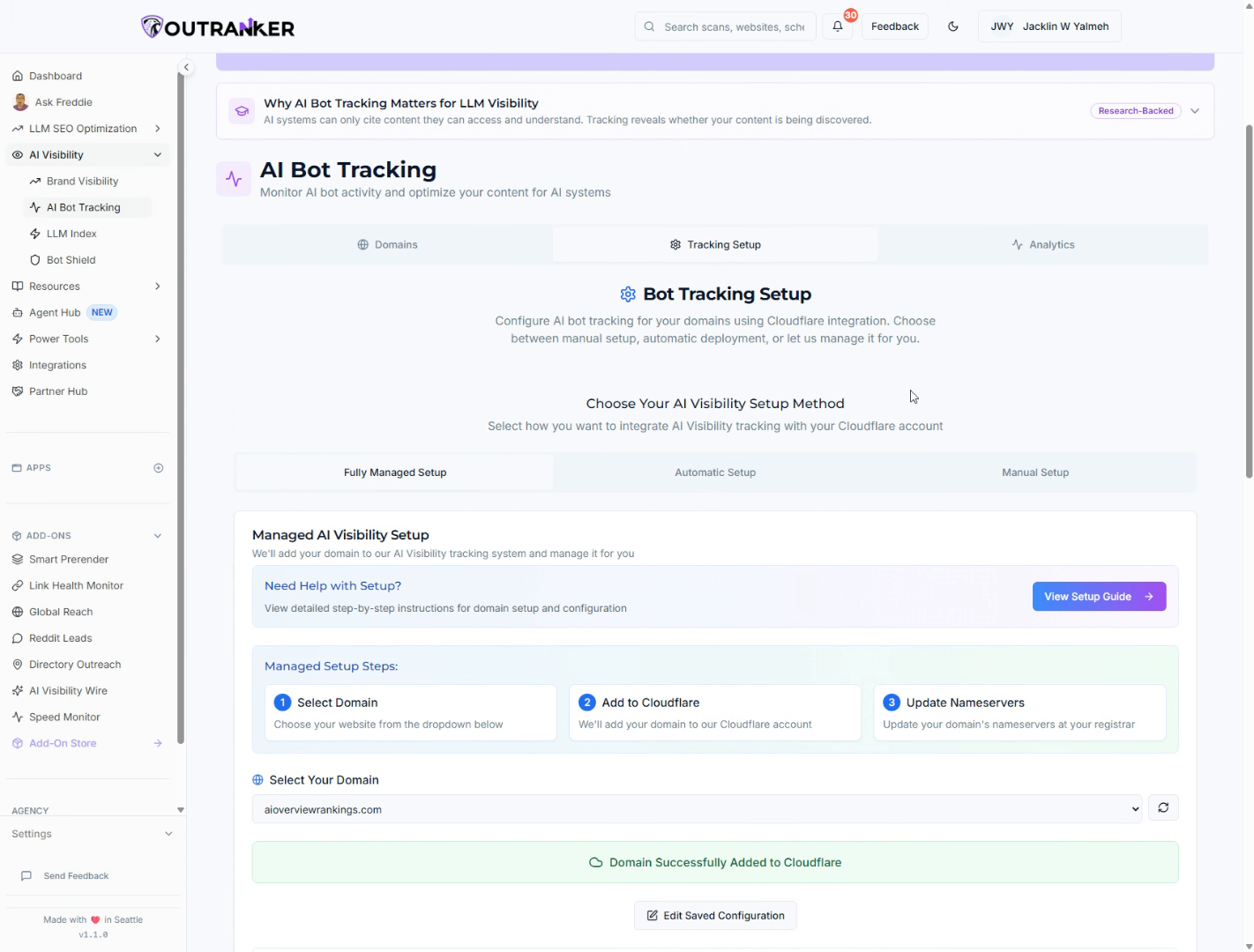
2. Enter Website Details
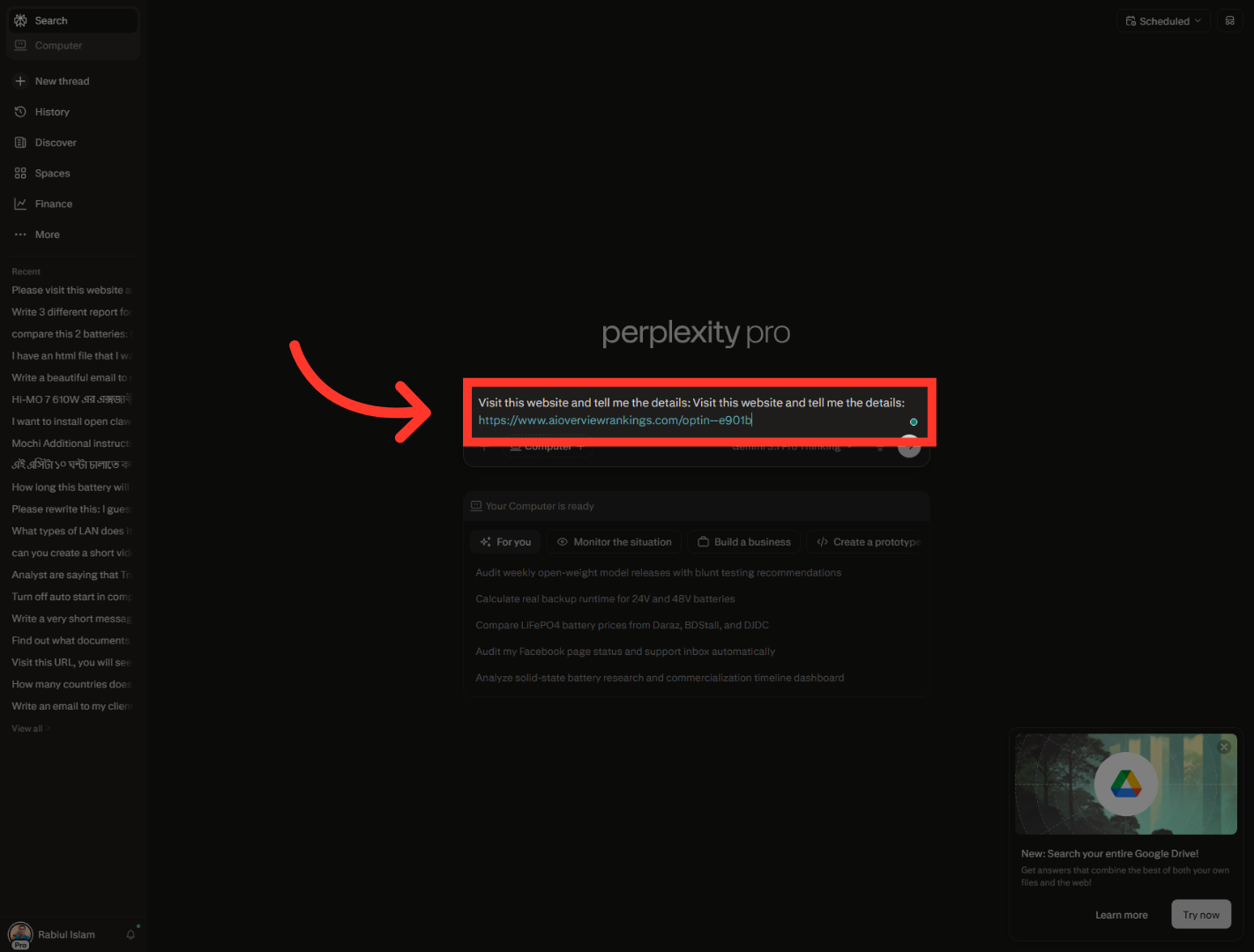
For this test, I'm going to use Perplexity."To begin, open Perplexity and use it to review the live page you want to validate. This gives you a quick way to confirm that the tracked content is accessible and being interpreted by an AI system."
3. Open Podcast Episodes Section
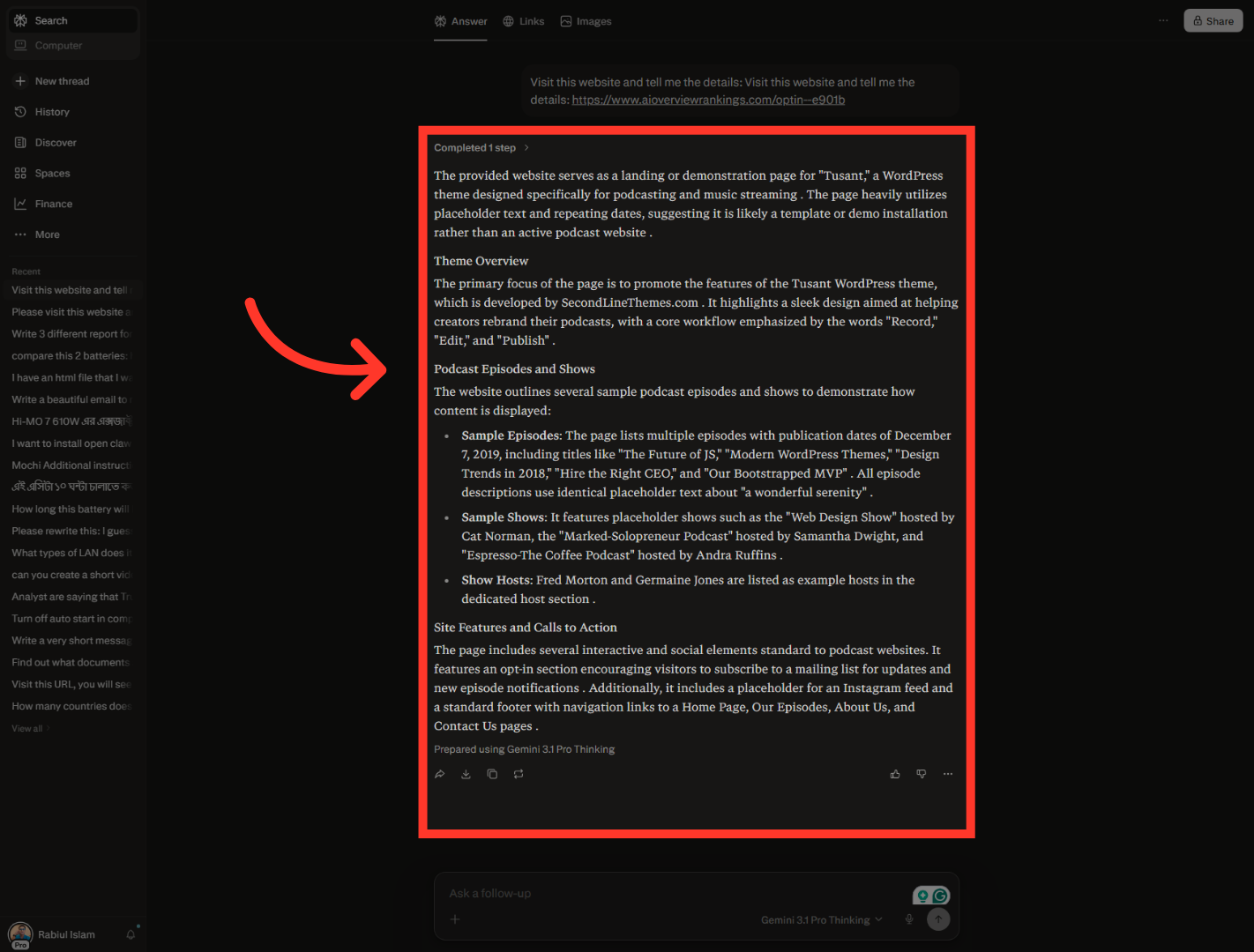
"Next, paste in the page URL you want to inspect. In this example, the walkthrough checks the page at aioverviewrankings.com and asks Perplexity to describe what it finds." "Once the answer loads, look through the response and confirm that the page content is being read correctly. In the example shown here, the review highlights the Podcast Episodes and Shows section of the page."
4. Switch to Outranker Platform
"After the page check, switch back to Outranker so you can verify the tracking results from inside the platform."
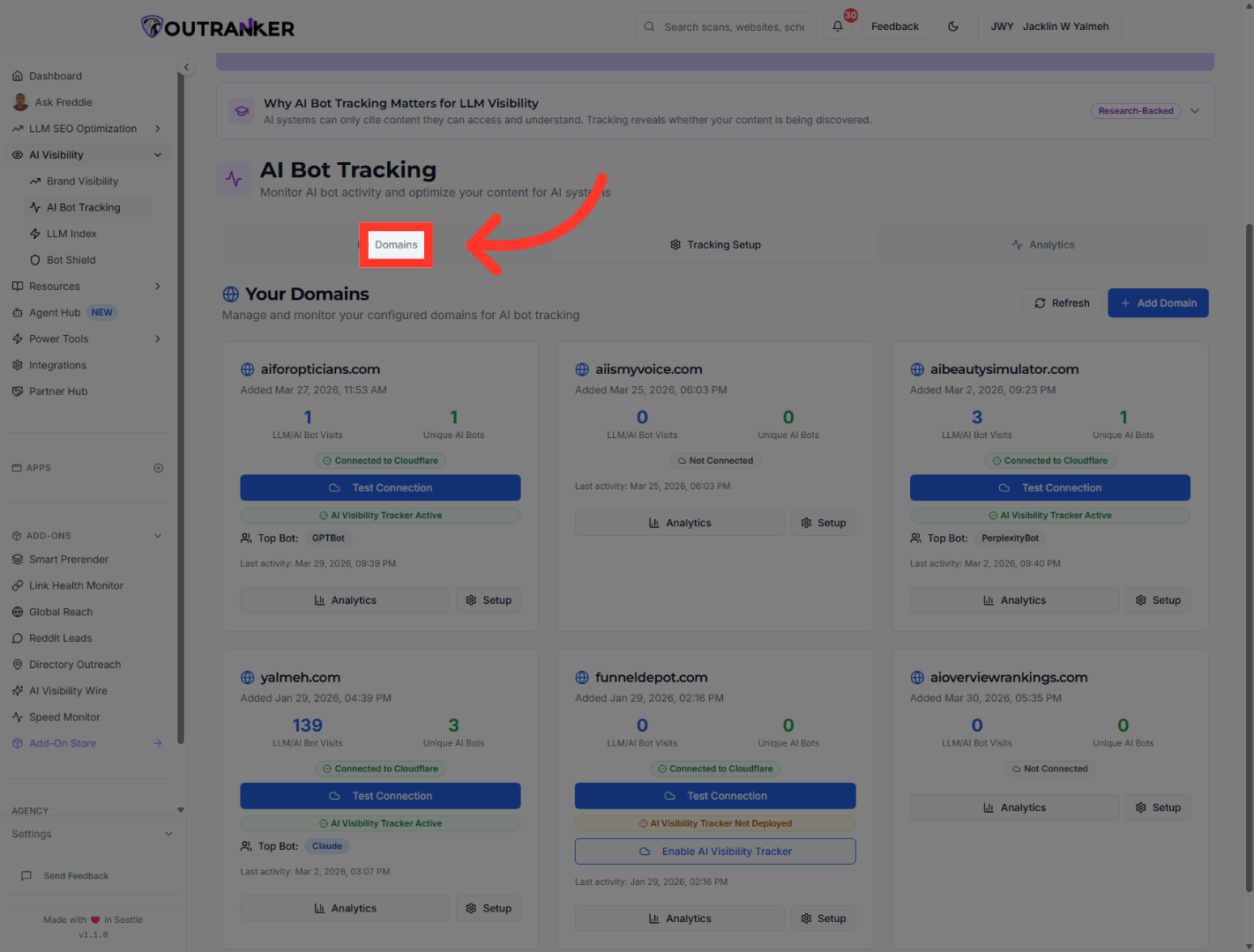
5. Access Domains Section
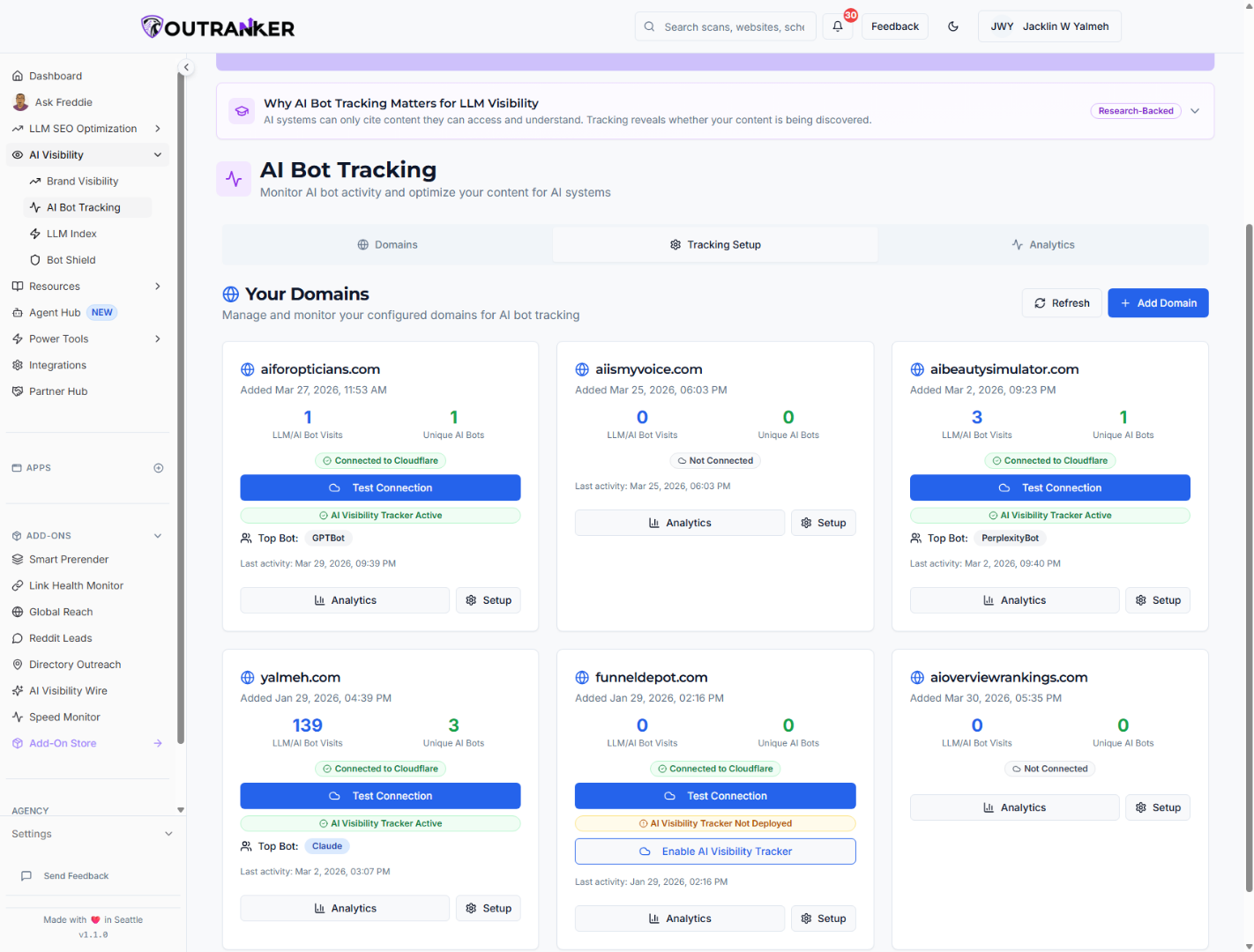
"In AI Bot Tracking, open the Domains tab. This is where you can review connected domains and see whether recent AI bot activity has been recorded."
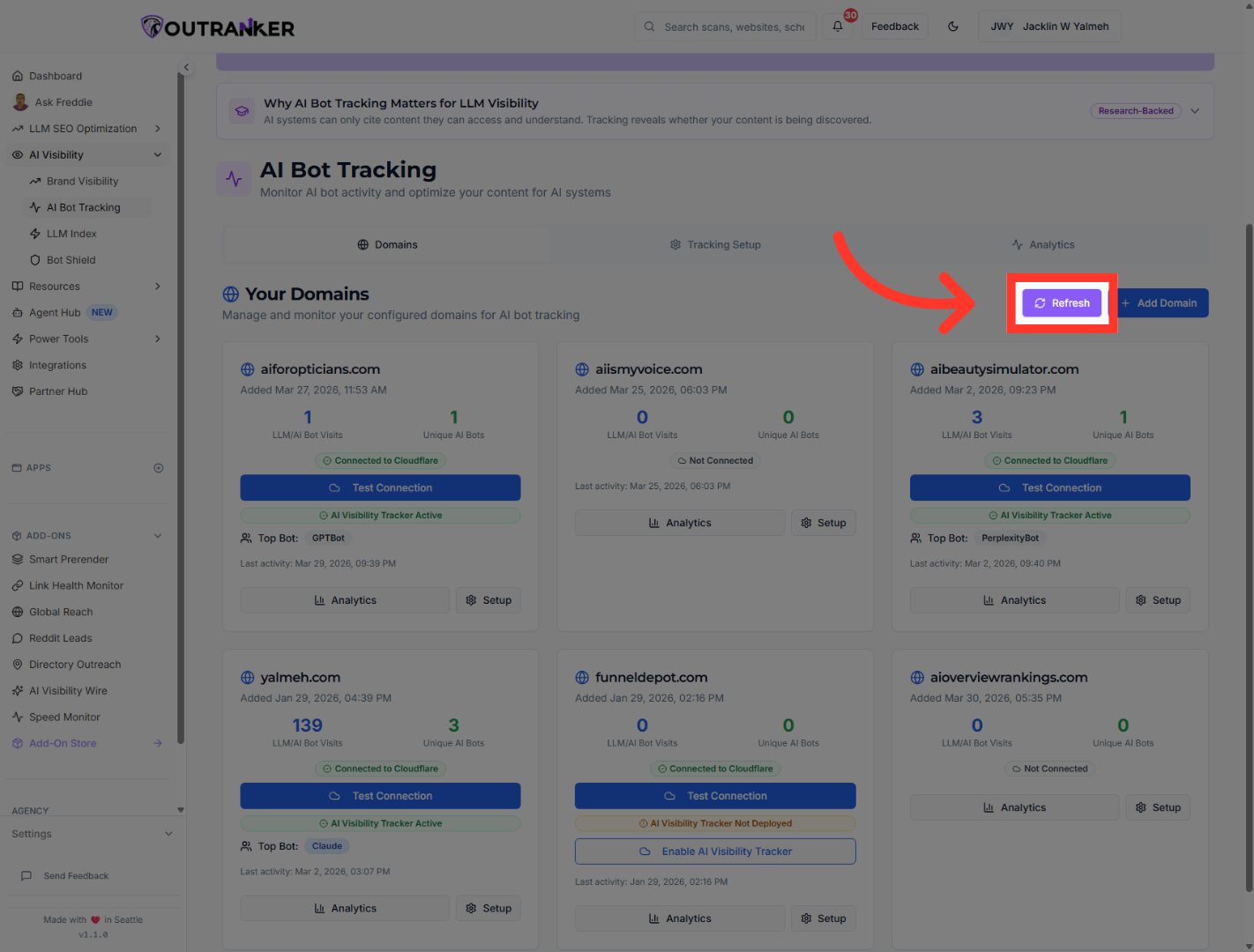
6. Refresh Domain Data
"Click Refresh to update the domain information. This makes sure you’re looking at the latest tracking data before you verify the setup."
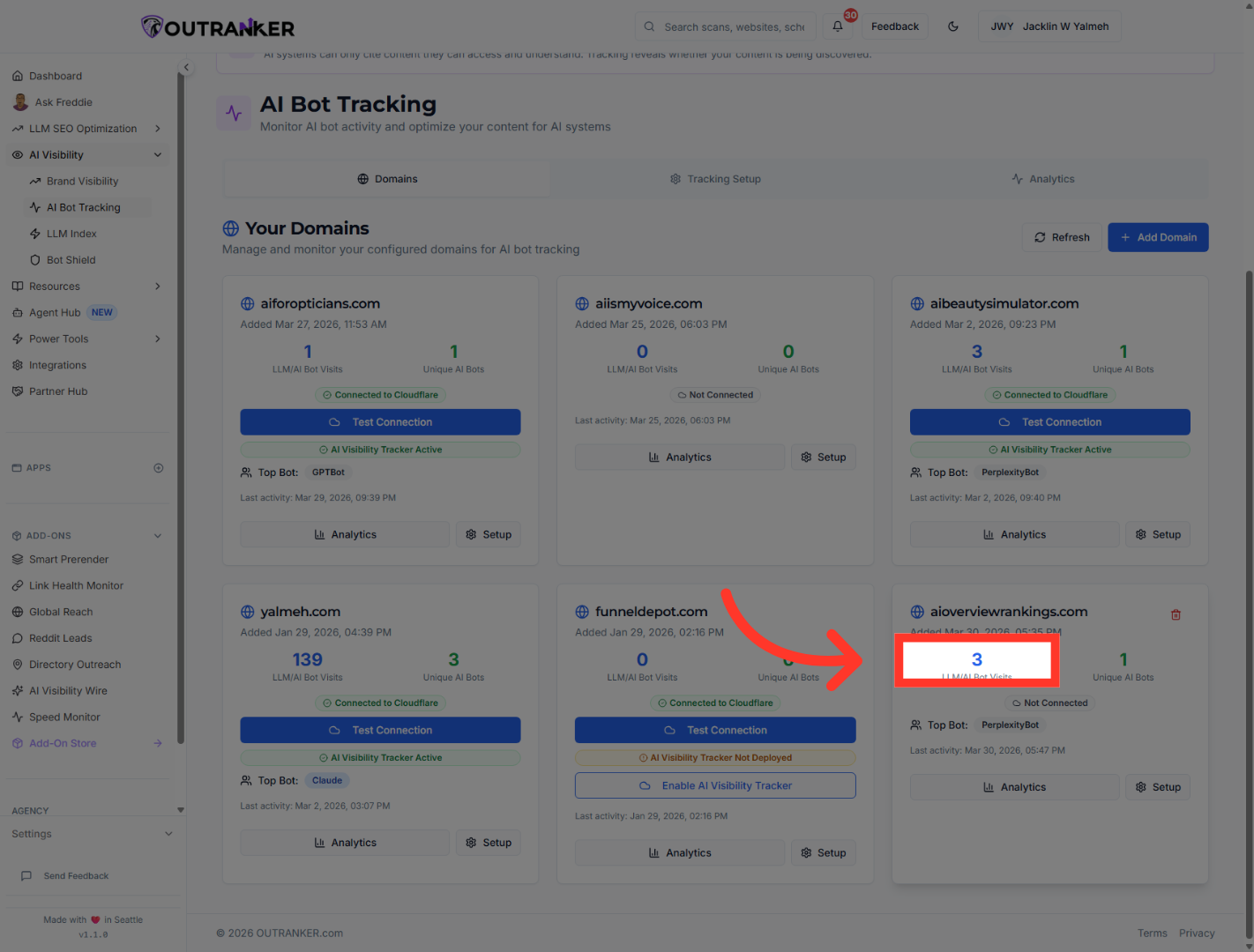
7. Select Third Item
"Now find the domain you want to validate. In this example, the domain is aioverviewrankings.com. On the domain card, you can already see a quick summary of bot visits and detected bots."
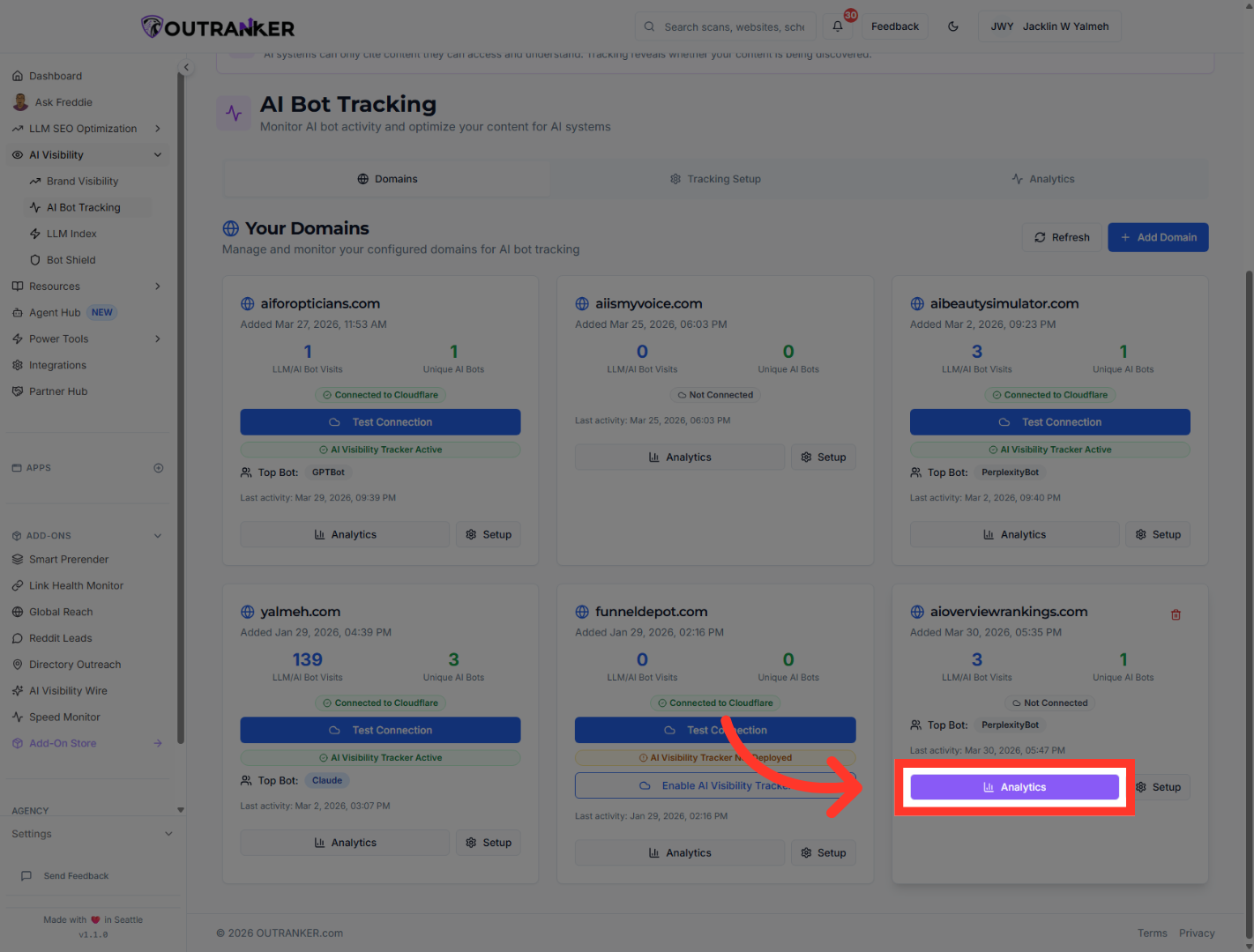
8. Open Analytics Section
"To see more detail, click Analytics on the domain card. This opens the full analytics view for the selected domain."
9. Select Third Analytics Item
"Inside analytics, review the key verification metrics. The example shows 3 total bot visits, 1 unique AI bot, PerplexityBot as the top bot, and 98.0% confidence for detection accuracy." "Look at the Top Bot field and verify which AI system appears most active. In this case, the top system is PerplexityBot, which matches the earlier test flow." "Finally, check the confidence score to make sure the detection looks reliable. In this example, the setup shows 98.0% confidence, which is a strong signal that the tracking is working as expected."
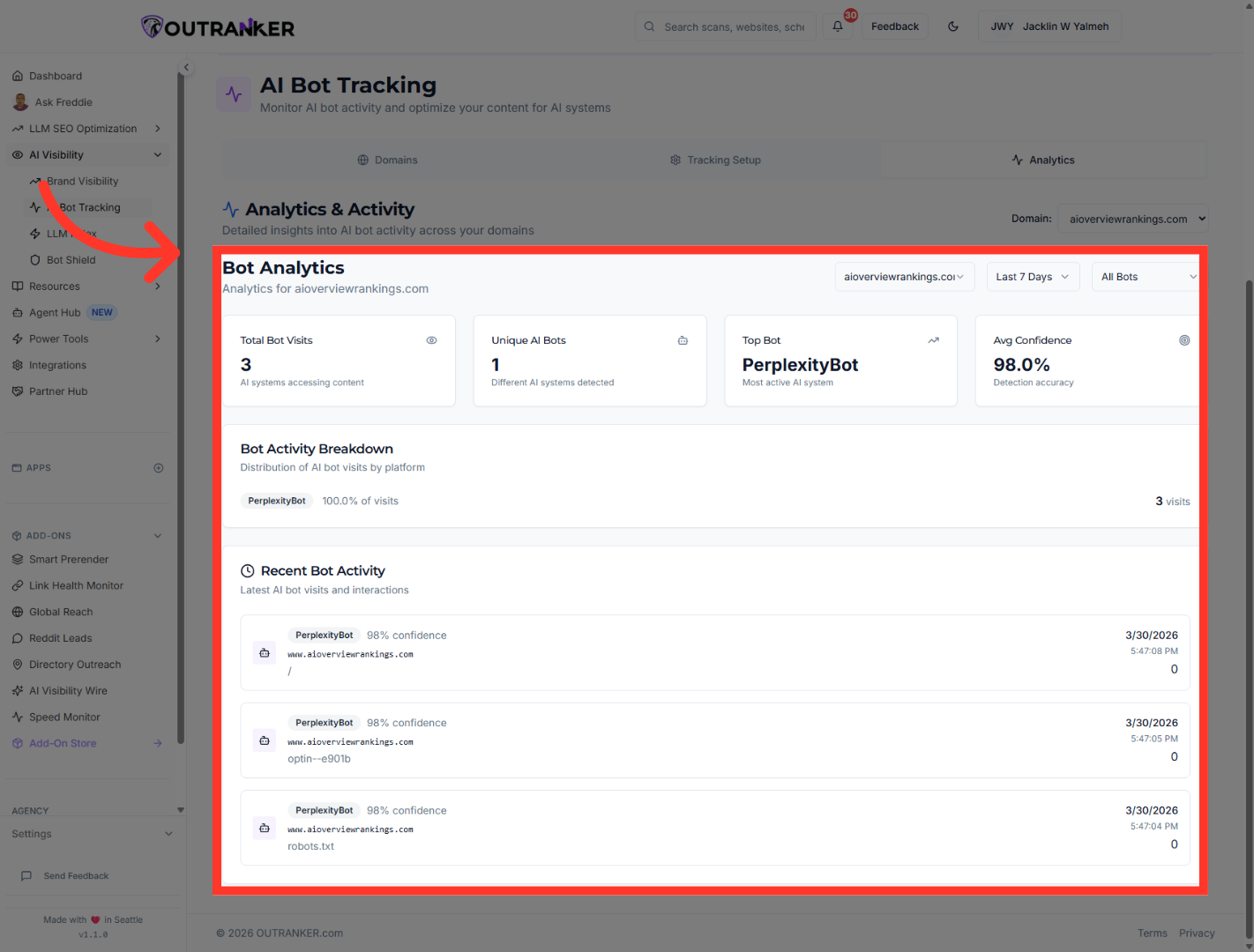
"You’ve now verified that AI Bot Tracking is active in Outranker.Ai by checking the tracked page, refreshing the domain data, and confirming the core analytics signals inside the platform. From here, you can continue monitoring bot activity over time and use these insights to guide your SEO and content decisions."
